Web Nerdism w/ PHP 101 › Basics
What's in the Middle
Phillip Harrington Nov 2026
Client/Server drew two boxes and a line between them. Every Try It so far has been exactly that: your browser, straight to PHP on your own computer. On the real web, the line is a chain. A request passes through several servers before it reaches your code, and each one can answer it, change it, or stop it. Each is a server to whatever is in front of it, and a client to whatever is behind.
The Pieces
A Reverse Proxy
"I'll take it from here."
The smallest middle there is: one server in front of your app that takes every request, passes it along, and passes the answer back. It's usually a web server, like nginx or Apache, sitting in front of PHP, very often on the same machine. That pair, one web server with PHP behind it, is how most simple hosting works, and How PHP Actually Runs takes it apart. It does the jobs your code shouldn't have to: HTTPS, sending static files like images and stylesheets, and holding on to slow connections so your app doesn't.
A Load Balancer
"One of us will take it from here."
For when one copy of your app isn't enough. Adding more servers side by side is called horizontal scaling (making one server bigger is vertical scaling). A load balancer is what makes horizontal work: it spreads requests across several app servers, checks which ones are healthy, and stops sending traffic to any that aren't. Visitors never know there's more than one.
A CDN
"I've got a copy. Nobody else needs to take it from here."
A content delivery network: servers all over the world, close to your visitors, that keep copies of your files and pages. DNS points your name at the CDN, so a visitor in Tokyo gets your stylesheet from a server in Tokyo, and your own server never hears about it. Anything it can't keep a copy of, like a logged-in page, a form post or an API call, it passes straight through to your server.
This page is one of those copies. This site sits behind a CDN, and what you're reading came from a server somewhere near you.
A Firewall
"Not you. You're not going anywhere from here."
A web application firewall reads each request and blocks the ones that look like attacks or floods before they reach you. Useful, and never a reason to skip checking input in your own code: it catches the common attacks, not all of them.
How It Works
A busy site's request might go like this:
- The CDN gets it first. If it has a fresh copy of the answer, it sends that, and it's done.
- If not, a firewall checks it, and turns away anything that looks like an attack.
- A load balancer picks one of the app servers.
- That server's reverse proxy handles the HTTPS and the static files.
- What's left reaches PHP.
A small site might have only step four, or none at all. Either way, each layer can change what your code sees:
- The address. PHP's
REMOTE_ADDRis whoever connected to PHP, which is the last server in the chain, not the visitor. The middle reports the visitor's address in a header,X-Forwarded-For, instead. - The protocol. The visitor used HTTPS, but the last hop to PHP may be plain HTTP. That's the gotcha from the HTTP lesson.
- The answer. A cache can send a copy without asking you, and a layer can rewrite your error pages, like the 403s in Request and Response.
Try It
Put the smallest middle, one reverse proxy, in front of PHP, and see what changes. This one's a step up from every Try It so far: two containers instead of one, three files instead of one, and a new tool, Docker Compose, to start them together. Stay with me. Each file is short, and you'll see what each one does.
In a folder, first, index.php, which reports what PHP can see:
<?php
header('Content-Type: text/plain');

echo 'Connected to PHP from:  ', $_SERVER['REMOTE_ADDR'], "\n";
echo 'X-Forwarded-For:        ', $_SERVER['HTTP_X_FORWARDED_FOR'] ?? '(none)', "\n";
echo 'Host: ', $_SERVER['HTTP_HOST'], "\n";Then the proxy's settings, nginx.conf. Every request goes to PHP, with the visitor's address added in X-Forwarded-For, and every answer is marked on the way back:
# The reverse proxy: take every request, pass it to PHP, pass the answer back.
server {
    listen 80;

    location / {
        proxy_pass http://php:8000;

        # Give up on PHP after 3 seconds instead of the default 60.
        proxy_connect_timeout 3s;

        # Tell PHP what the proxy saw, since PHP only sees the proxy.
        proxy_set_header Host $http_host;
        proxy_set_header X-Forwarded-For $proxy_add_x_forwarded_for;

        # Mark every answer, so you can see it came through here.
        add_header X-Passed-Through proxy always;
    }
}And compose.yml, which starts both, the proxy on port 8000 and PHP on 8001:
# Two containers: PHP's built-in server, and a reverse proxy in front of it.
# The proxy is on port 8000. PHP is also on 8001, so you can skip the proxy.
services:
  php:
    image: php:8.4-cli
    command: php -S 0.0.0.0:8000
    working_dir: /app
    volumes:
      - ./:/app
    ports:
      - "${PHP_PORT:-8001}:8000"

  proxy:
    image: nginx:alpine
    volumes:
      - ./nginx.conf:/etc/nginx/conf.d/default.conf:ro
    ports:
      - "${PROXY_PORT:-8000}:80"
    depends_on:
- phpYou'll also see this file called docker-compose.yml, its older name. Both work.
Start them together:
docker compose updocker compose- Docker's tool for running several containers together, as described in the
compose.ymlin the folder you're in. up- Start every container in the file, and show their output until you press
Ctrl+C.
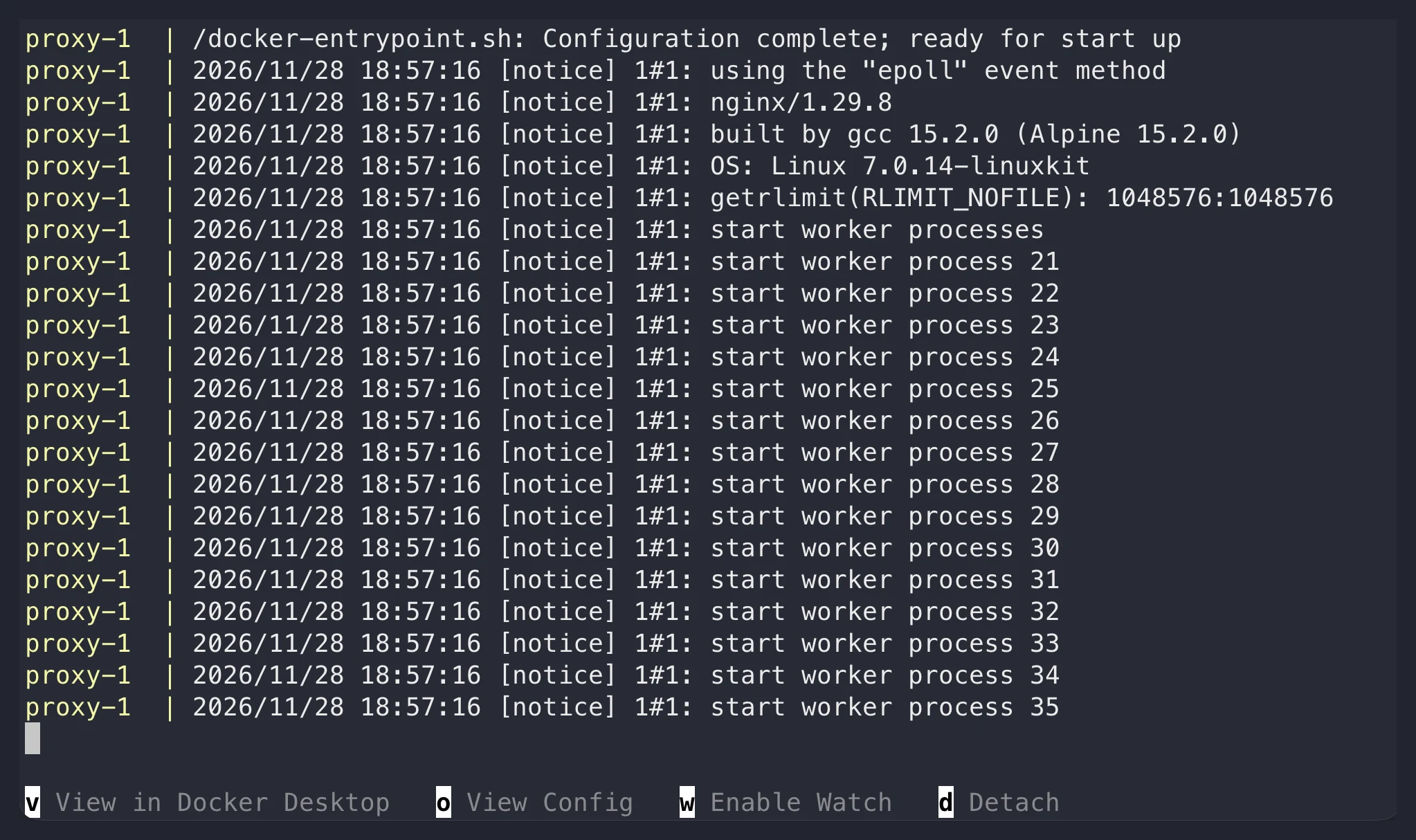
From a second terminal, ask PHP directly, then through the proxy:
curl http://localhost:8001
curl http://localhost:8000

Directly, PHP sees your address, and no X-Forwarded-For. Through the proxy, PHP sees the proxy's address, and your address arrives in the header instead. Add -I to the second one, and the proxy's mark shows in the answer: X-Passed-Through: proxy.
Now lie to it:
curl -H 'X-Forwarded-For: 1.2.3.4' http://localhost:8000New here:
-H 'X-Forwarded-For: 1.2.3.4'- Add a header to the request: its name, a colon, and its value. Any header you like.

PHP gets 1.2.3.4 first, then your real address. The proxy didn't replace what you sent; it added what it saw to the end. Everything before the last entry came from the client, which means from anyone. As you may recall, never trust input, and that includes headers. Trust only the entry your own proxy added: the last one, or the last few if you run several layers.
Last, take PHP away and leave the proxy standing. From the second terminal:
docker compose stop php
curl -i http://localhost:8000
New here:
docker compose stop php- Stop one service,
php, and leave the rest running.
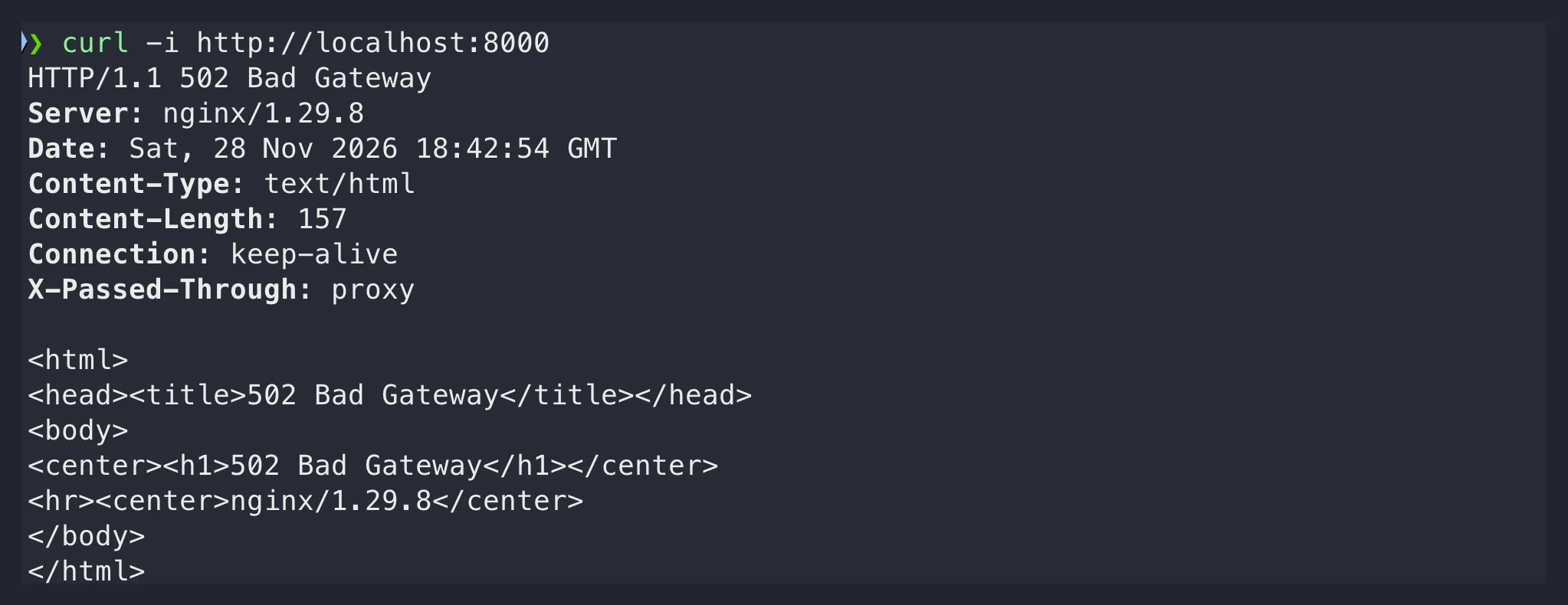
Within a few seconds, the proxy answers on its own: 502 Bad Gateway or 504 Gateway Timeout, depending on exactly how it finds PHP gone. Either way, the proxy is fine; the thing behind it isn't answering, and the proxy says so. That's the middle's own error, the one you'll see when the PHP behind a real site falls over. Ctrl+C in the first terminal stops the rest.
New to Docker or the terminal? Tools has the setup.
In PHP
$_SERVER['REMOTE_ADDR']is the last hop: right when PHP faces visitors directly, wrong behind anything.$_SERVER['HTTP_X_FORWARDED_FOR']is the chain of addresses, visitor first. It's a header, so it's input: take the entries your own layers added, from the end, and ignore the rest.$_SERVER['HTTP_X_FORWARDED_PROTO'], when your proxy sets it, says whether the visitor used HTTPS.header('Cache-Control: private, no-store');on any page that's about one person, so no layer in the middle keeps a copy.
Gotchas
- Limits keyed on
REMOTE_ADDRlimit everyone. Behind a proxy, every request comes from the proxy's address, so "ten tries per address" becomes ten tries for the whole world. - The first
X-Forwarded-Forentry is whatever the visitor typed. Code that trusts it lets anyone pick their own address, and dodge any limit keyed on it. - A cache can show one person's page to another. A page that says "Hi, Alice" must not be cached anywhere shared. Mark it private.
- The middle has its own errors.
502 Bad Gateway: a layer couldn't reach the one behind it, like the proxy in Try It.504 Gateway Timeout: it gave up waiting, often after a minute or less, so a slow page can fail in the middle while PHP is still working on it. - "Not a directory," from Docker. If a file that
compose.ymlmounts doesn't exist when you start it (a typo in its name will do it), Docker makes an empty folder by that name instead, and then can't mount a folder where a file goes. Delete the folder, fix the file's name, and start again.
Ask which layer answered
Most layers leave a mark in the response headers: a Server, a Via, a cache status, an Age (more than 0 means it came from a cache). When a change doesn't show up, curl -I the page and read them. You're often looking at a copy someone in the middle kept.
At the far end of every chain is a server handing out files from a folder. Next, in Web Server Basics: the document root.