Web Nerdism w/ PHP 101 › Basics
Content Types
Phillip Harrington Nov 2026
Ever clicked a link expecting a page, and your browser downloaded a file instead? Or opened a page and got a screen full of raw code? Both come down to one response header, Content-Type. A response body is just bytes. The browser doesn't look at the bytes, or at the end of the URL, to decide what they are. It believes the header.
What's a Content Type?
A label in the form type/subtype, also called a media type or MIME type. The ones you'll see most:
text/html: a web page. Render it.text/plain: plain text. Show it, tags and all.text/cssandtext/javascript: a stylesheet, a script.application/json: data, usually for JavaScript to read.image/png,image/jpeg,image/webp: pictures.application/pdf: a PDF.application/octet-stream: "some bytes, no idea what." The browser downloads it.
Requests have content types too, when they carry a body. A form posts application/x-www-form-urlencoded, the name=value pairs from the last lesson, or multipart/form-data when it includes a file.
What's a Character Set?
Text types usually carry one more piece: text/html; charset=utf-8. The charset says how the bytes become letters. UTF-8 covers every language and every emoji, and it's the only one you should use. Get it wrong, and Café Zoë, the coffee shop that turns up later in the course, puts "Café Zoë" on its sign.
How It Works
When a response arrives, the browser reads Content-Type and decides:
- Something it can show, like HTML, an image or a PDF? It shows it.
- Plain text? It shows the text as text.
- Something it can't show, or "no idea"? It downloads it.
So the download mystery is the server, labeling something the browser can't display, or not labeling it at all. The file's extension doesn't enter into it.
This site's own pages have no extension, /about and not /about.html, so its deploy has to tell the server, page by page, "this one is text/html." Without that label, the server would send them as unknown bytes.
A second header can overrule the browser's choice. Content-Disposition: attachment says "save this, don't show it," even for a page the browser could show, and it can suggest a name for the file: attachment; filename="report.csv". That's how a site hands you a download with a proper name. Sending files gets a lesson of its own, later.
Try It
One server, one body, four labels. In a folder, make index.php:
<?php
$types = [
    'html' => 'text/html',
    'text' => 'text/plain',
    'json' => 'application/json',
    'bytes' => 'application/octet-stream',
];
$as = $_GET['as'] ?? 'html';

header('Content-Type: ' . ($types[$as] ?? 'text/html'));
if (isset($_GET['save'])) {
    header('Content-Disposition: attachment; filename="hello.html"');
}

echo '<h1>Hello</h1><p>The same bytes, every time.</p>';Start it the usual way:
docker run --rm -it -p 8000:8000 -v "$PWD":/app -w /app php:8.4-cli php -S 0.0.0.0:8000Same as before: -p 8000:8000 connects port 8000 on your computer to the container's, and php -S is PHP's web server.
Then open each of these in your browser, all at http://localhost:8000:
| Open | Label it sends | What you see |
|---|---|---|
/ | text/html | a heading and a paragraph |
/?as=text | text/plain | the same bytes, tags showing |
/?as=json | application/json | a JSON viewer, with nothing it can read as JSON |
/?as=bytes | application/octet-stream | a download |
/?save=1 | text/html, plus Content-Disposition: attachment | a download, named hello.html |

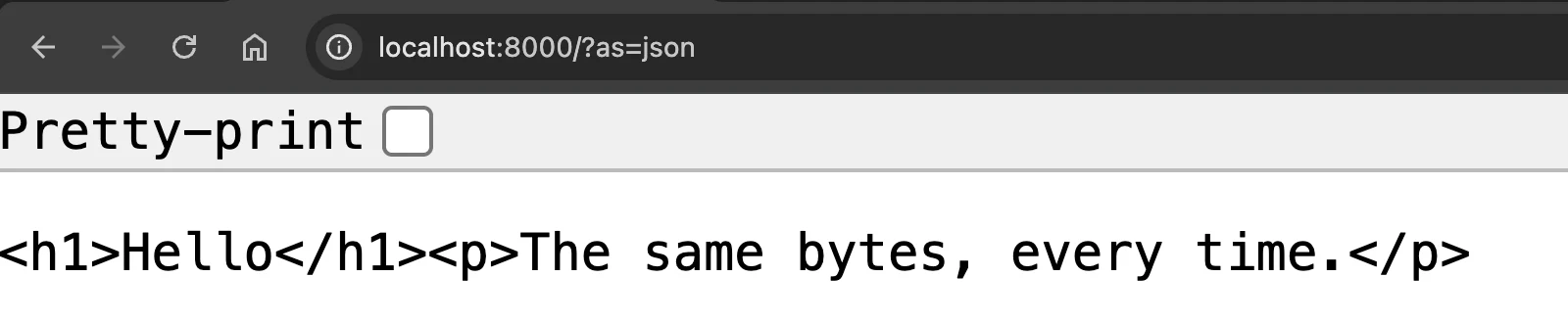
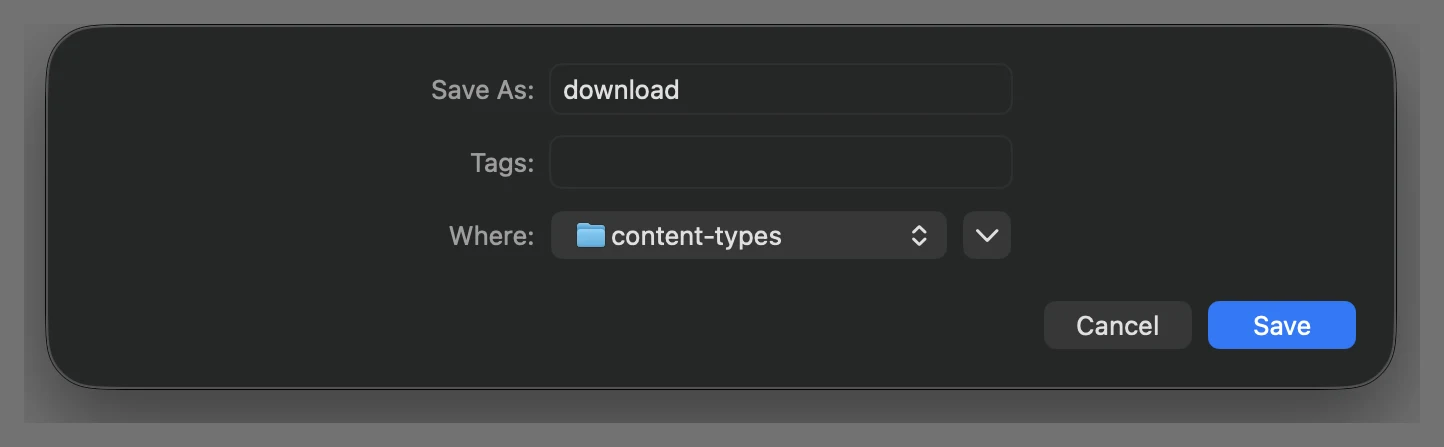
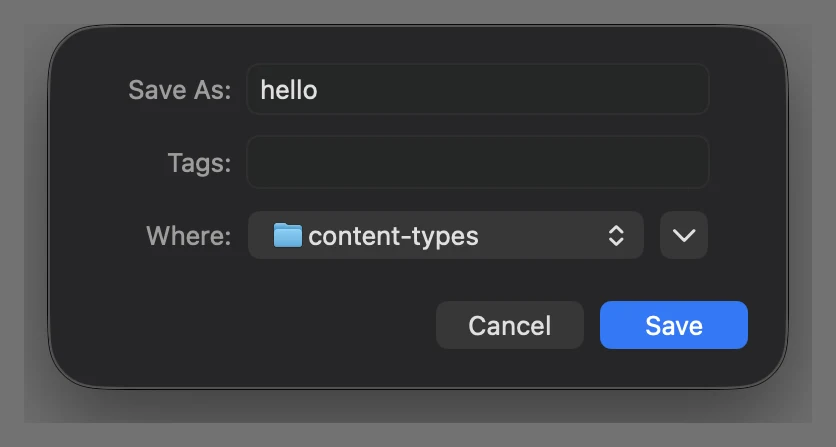
as= and save= are just what this script happens to read. They mean nothing to any other site.
The body never changed. Only the label did. To see the labels themselves, ask with curl -I:
curl -I "http://localhost:8000/?as=text"New here:
-I- Ask for the headers only (a HEAD request), and print them. No body.
"http://localhost:8000/?as=text"- The quotes keep the terminal from reading the
?as one of its own wildcards. Quote any URL with a query string in it.
Notice PHP added ;charset=UTF-8 to the text types on its own. That comes next, under In PHP.
New to Docker or the terminal? Tools has the setup.
In PHP
- PHP sends
text/html; charset=UTF-8unless you say otherwise, since what it usually makes is a web page, and adds the charset to anytext/type you set. Both come from thedefault_mimetypeanddefault_charsetsettings. header('Content-Type: application/json');beforeecho json_encode($data);is how an API answers.header('Content-Disposition: attachment; filename="report.csv"');makes a download.mime_content_type()guesses a file's type from its contents, which is what you want for a file on your own server.
Gotchas
- JSON labeled as HTML. Forget the header in an API, and every JSON response goes out as
text/html. Some clients won't mind. Some will refuse it, and some will treat it as a page. Remember the CDN from Request and Response that answered an API's 403s with an HTML error page? Same mess, from the other side: the client expected JSON and got a web page. - Never trust input. Not even the type a browser sends. An upload's content type comes from the client, which means from whoever is uploading. A script can arrive labeled
image/png. File Uploads, in Security, is about exactly this. - Strict browsers. Say your page has
<script src="/app.js">, and the server sendsapp.jslabeledtext/plainby mistake. Normally the browser shrugs: the page asked for a script, and it looks like a script, so it runs it anyway. That guessing is called sniffing. Send theX-Content-Type-Options: nosniffresponse header, and the browser stops guessing. The label says plain text, so it won't run it, whatever's inside. (A stylesheet that isn't labeledtext/cssgets the same treatment: ignored.) That's the point: an "image" someone uploaded with a script inside can never run as one. When it refuses, the browser's console says so: "Refused to execute script… strict MIME type checking is enabled."
Check the label first
When a page downloads instead of showing, a script won't run, or your code can't parse an API's response, run curl -I on it before anything else, and read Content-Type. It's often the answer, and checking takes less time than blaming JavaScript.
Content-Type tells the browser what it got. Another header, Set-Cookie, asks it to remember something. Next: cookies.